Project
AI-Powered LinkedIn Job Fit Analyzer Chrome Extension
Overview
I built this Chrome extension to improve my job search efficiency by automatically analyzing LinkedIn job descriptions using AI.
LinkedIn frequently recommends roles that appear relevant but contain hidden requirements, such as language fluency, which are only mentioned deep in the job description.
The extension identifies these requirements and highlights them using a colour-coded flag system.
This project was created as part of my personal learning and experimentation with AI integration and automation.
Key Features
-
Extracts job descriptions directly from LinkedIn
-
Uses AI to evaluate job fit
-
Identifies hidden critical requirements
-
Displays colour-coded flags based on severity
-
Highlights requirement phrases directly on the job page
-
Generates tailored cover letters
-
Generates answers to application questions
Technologies Used
Frontend:
-
JavaScript
-
Chrome Extension Manifest V3
-
DOM manipulation
Backend:
-
Python
-
FastAPI
AI:
-
OpenAI GPT-5 API
-
Prompt engineering
How It Works
-
Extension extracts job data from LinkedIn
-
Sends data to custom backend
-
AI analyzes job description
-
Returns structured results
-
Extension displays analysis
Demonstration
Opening Extension
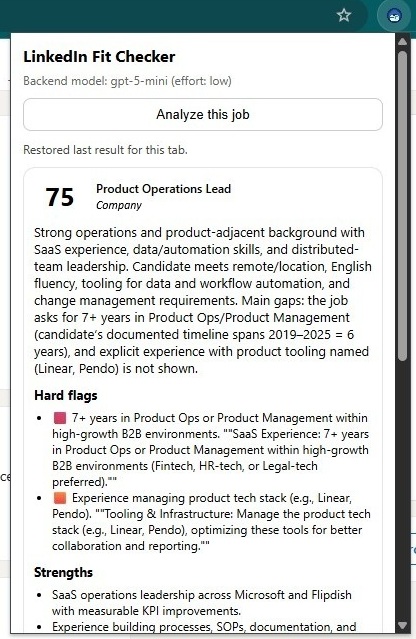
If opened on a LinkedIn job posting, it will provide the option to analyse the position
Analysing Position
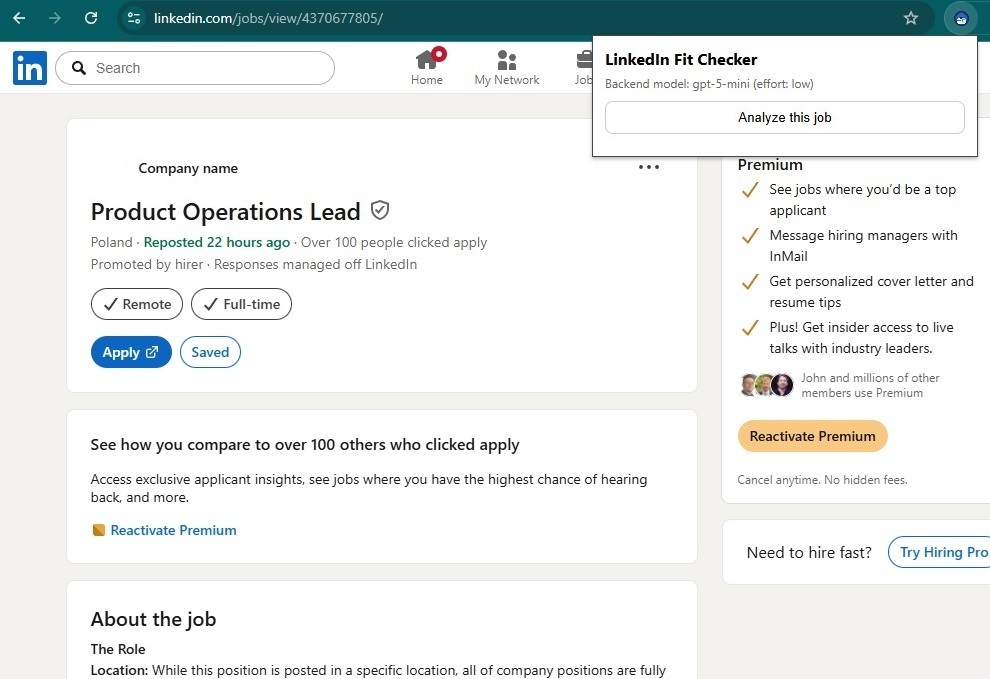
The Extension will submit the job details to OpenAI api, and will calculate the potential fit for the position, as well as highlight major flags/gaps.
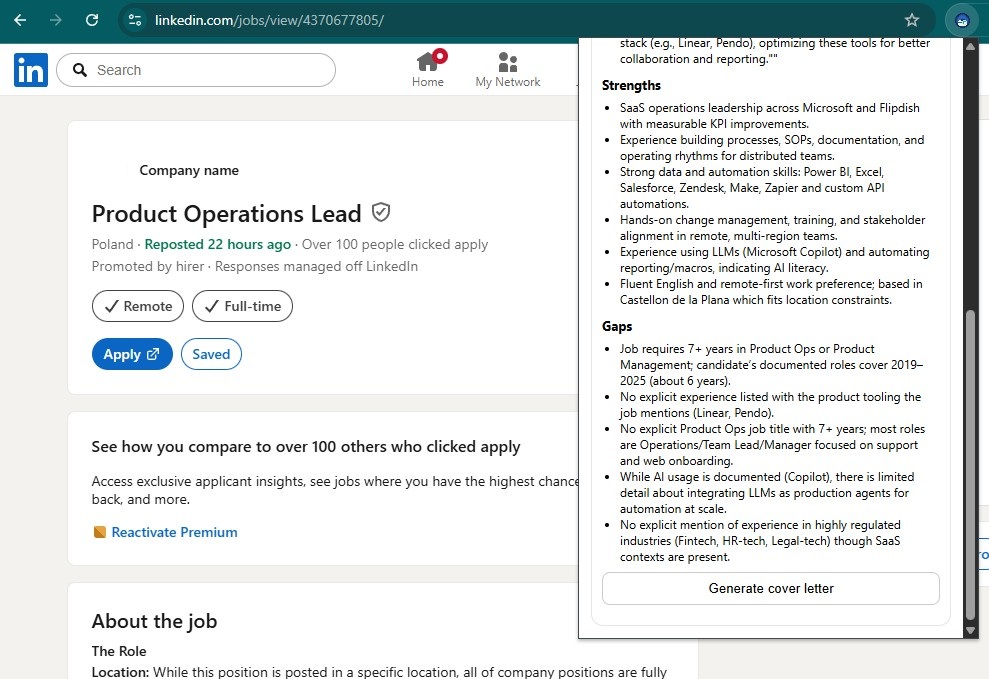
Strong and Weak points
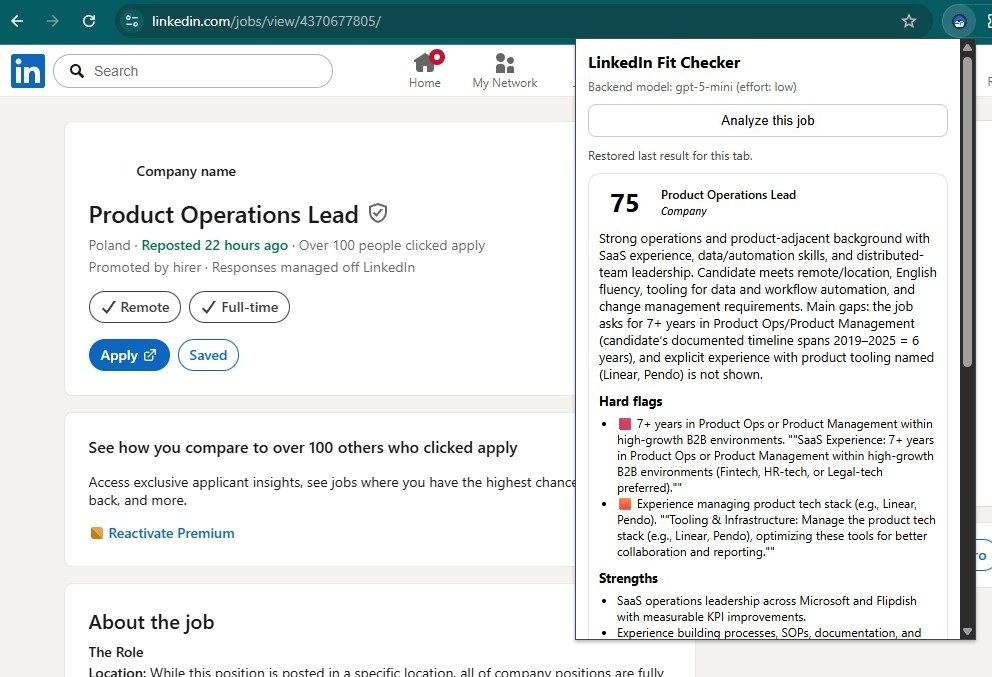
The strengths and weaknesses for this position are listed.
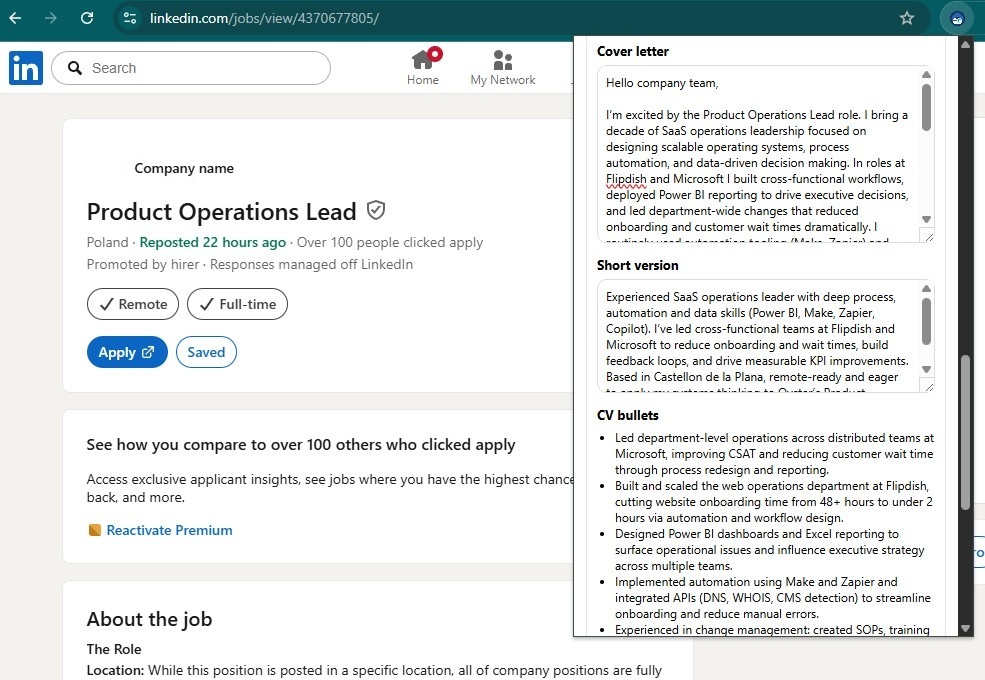
Review Cover Letter
A cover letter can be generated and reviewed in the extension, as well as a few points that would be effective in the CV for ATS. Note that all information is true and all based on experience and the current CV.
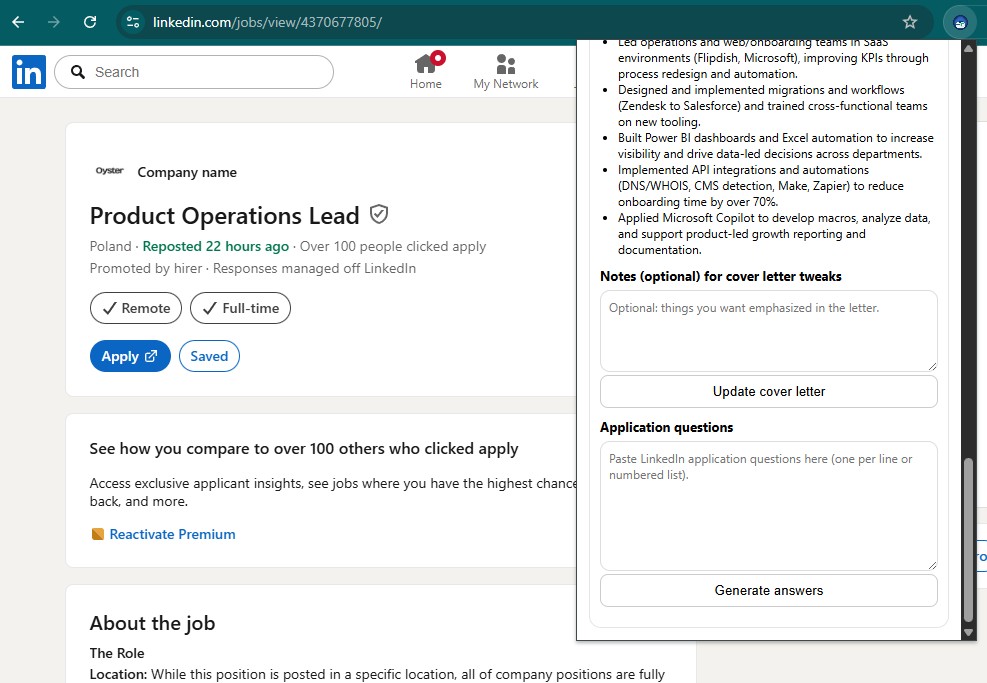
Edits and Additional Questions
A section to allow for tweaks to the cover letter and for additional questions that may be asked in the application.
What I Learned
Through this project, I gained hands-on experience integrating AI into real-world tools.
I learned how to:
• Connect frontend systems to AI APIs
• Design backend systems for AI workflows
• Engineer prompts for reliable outputs
• Build Chrome extensions
• Handle real-world DOM and browser automation challenges
This project represents my practical exploration of AI and automation outside of my professional roles.