Project
Conversational CV Chatbot for Recruiters
Overview
I built this project to give recruiters a faster, more interactive way to understand my professional experience, strengths, and working style.
Instead of relying only on a static CV, recruiters can ask questions directly through a chatbot embedded on my website. The chatbot uses my CV together with a structured knowledge base about my previous projects, work situations, professional approach, and working style to provide more detailed and useful answers.
A major goal of this project was not only to build a working AI assistant, but to build one responsibly. The chatbot was designed with rules to avoid inventing information when the answer is not available in its source material. If it cannot answer reliably from my CV or knowledge base, it is instructed not to guess and instead offers a way for the recruiter to contact me directly.
This project also serves as a practical demonstration of my hands-on work with generative AI. In previous professional environments, I had limited opportunities to build systems like this end to end, so I wanted to create a live, real-world example that shows I can design, build, optimise, and deploy an AI-powered solution independently.
Key Features
- Embedded chatbot available directly on my website
- Floating chat icon that stays visible for easy access
- Custom frontend built by me using JavaScript
- Uses my CV and a structured recruiter-focused knowledge base as source material
- Answers questions about my experience, projects, skills, and working style
- Connected to an n8n workflow using the OpenAI API
- Includes rules designed to reduce hallucinations and prevent made-up answers
- Detects when reliable information is not available and offers a fallback contact path
- Supports live conversational interaction through a clean text chat interface
- Includes configurable short-term memory to preserve context while controlling token usage
Technologies Used
Frontend
- JavaScript
- Custom chat widget UI
- Embedded website integration
AI / Automation
- OpenAI API
- Prompt structuring and rule design
- n8n workflow automation
Infrastructure / Deployment
- VPS hosting
- Docker
- Self-hosted n8n instance
- Local Docker-based test environment before live deployment
Knowledge Base / Optimisation
- CV-based source content
- Structured knowledge base covering projects, working style, and professional background
- Token optimisation to reduce cost and improve efficiency
- Configurable conversation-memory window
How It Works
The chatbot is built into the site as a floating chat button that remains visible on the page. When a visitor clicks it, a text chat interface opens and allows them to ask questions naturally. The widget includes a floating launcher, a call-to-action prompt, local session persistence, a chat panel, and webhook-based request sending from the frontend.
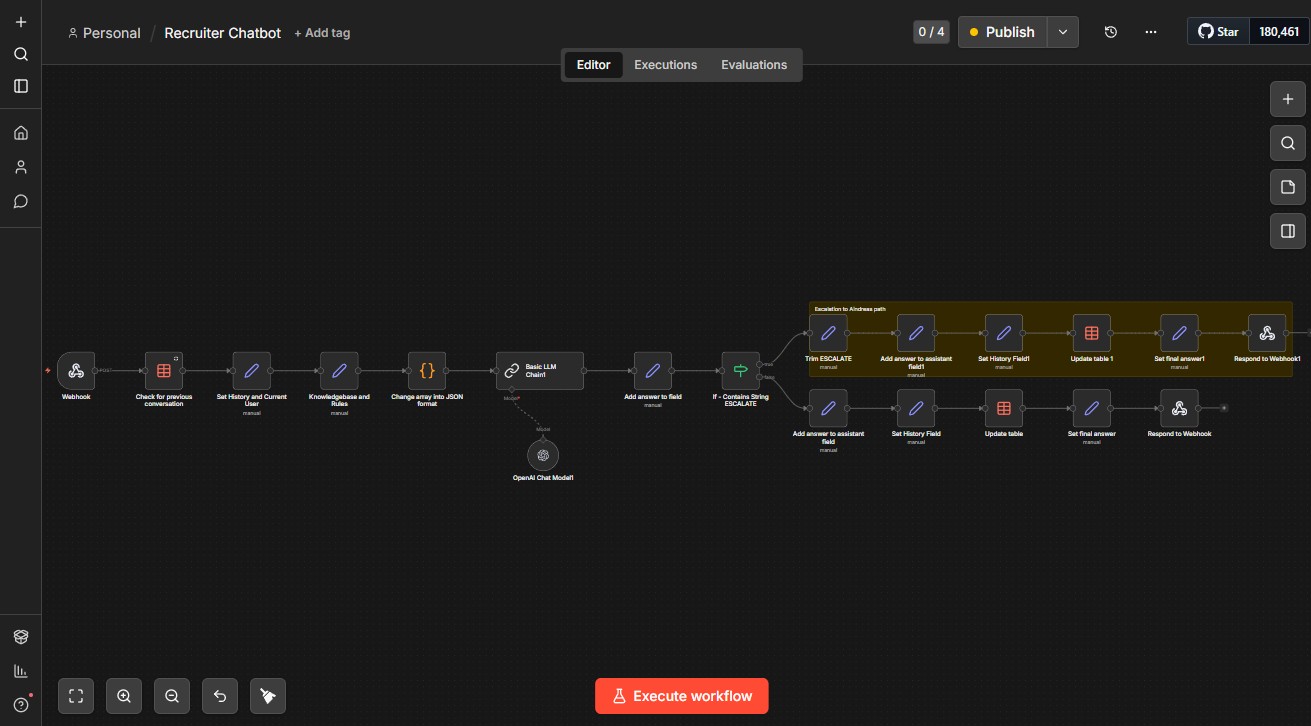
Messages are sent from the frontend widget to a live n8n workflow hosted on my VPS. The workflow processes the request, sends it through the OpenAI API, and returns an answer using context from my CV and supporting knowledge base. The frontend then displays the reply in the chat window and can also append an additional contact link when the response includes a dedicated fallback flag in the payload.
To keep the chatbot practical and efficient in live use, I intentionally limited the short-term conversation memory to the last three user messages and the last three chatbot replies. This can be adjusted by changing a single variable, but in its current form it helps preserve enough context for a natural conversation while keeping token usage under control.
A key part of the logic is that the chatbot is not allowed to invent information. If a question cannot be answered from the available knowledge sources, the workflow detects this through a specific return string and adds an extra item in the JSON response to indicate that the information is not available. That flag is then used to add a link inviting the user to leave contact details so I can follow up directly. The frontend logic for this fallback is already wired to display an extra link whenever the relevant payload field is present.
Demonstration
Chat Interface
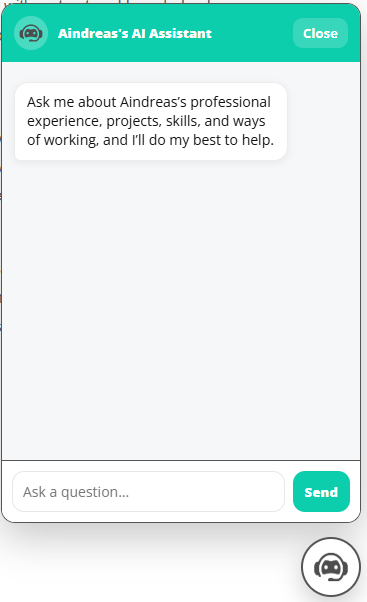
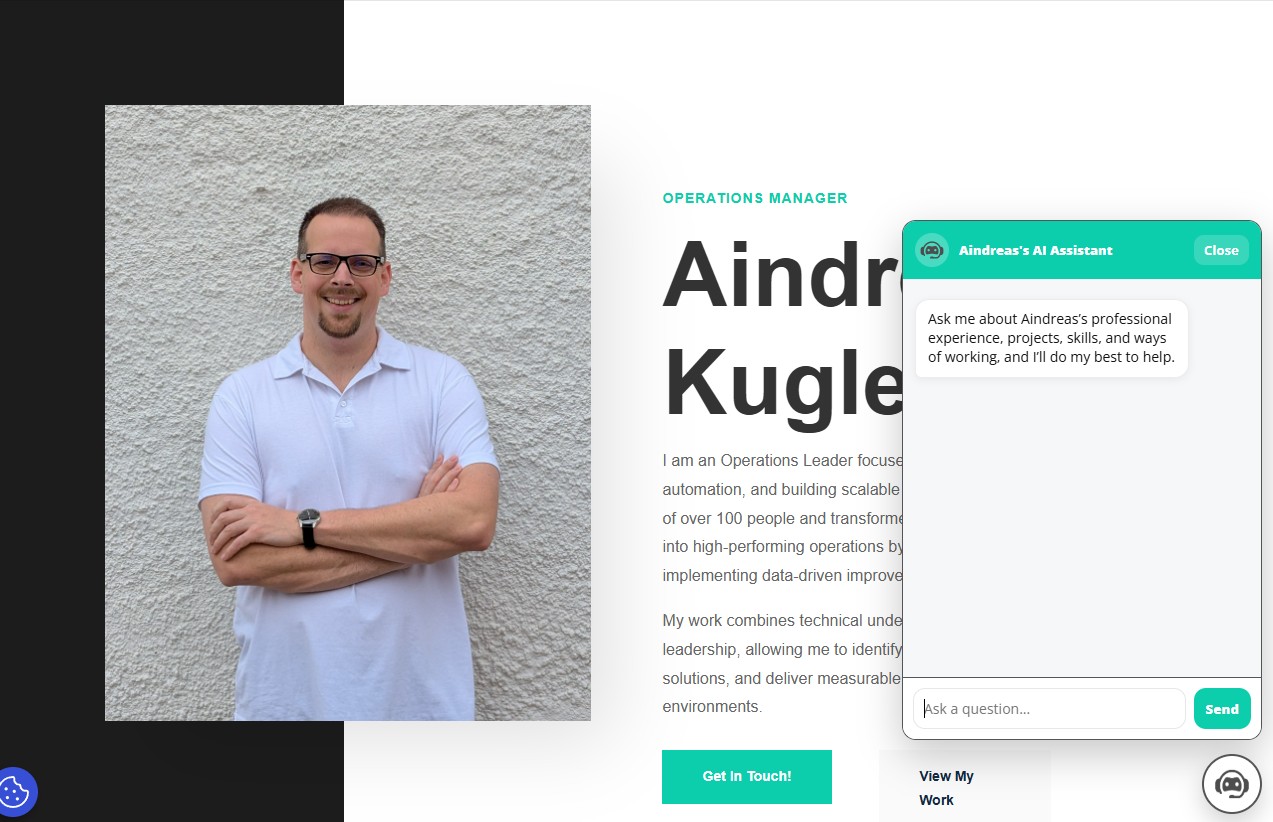
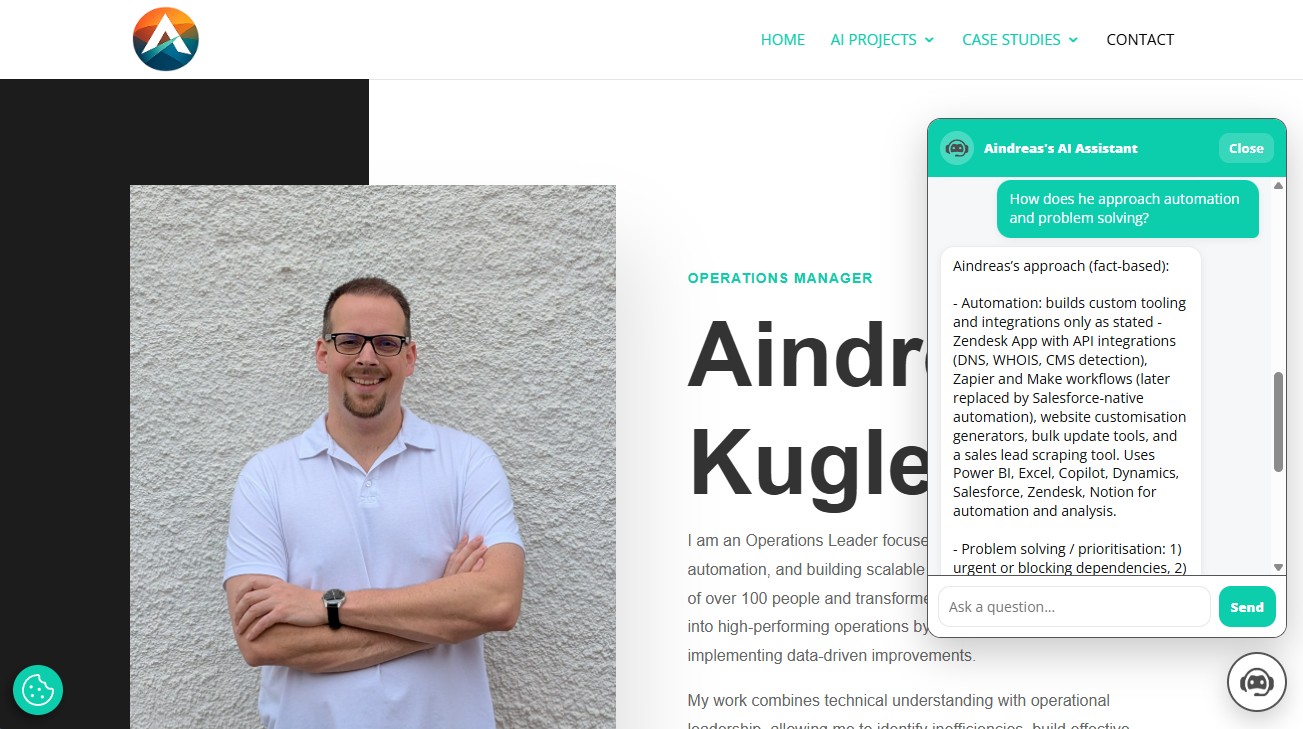
The chatbot is designed to be immediately accessible from anywhere on the page through a floating icon in the bottom right corner. Once opened, it presents a simple conversational interface that allows recruiters to ask direct questions about my background and experience.
Example Recruiter Questions
The chatbot is designed to handle questions such as:
- What kind of roles is Aindreas best suited for?
- What experience does he have with operations and process improvement?
- How does he approach automation and problem solving?
- What is his working style like?
- What kind of projects has he built independently?
Example Response
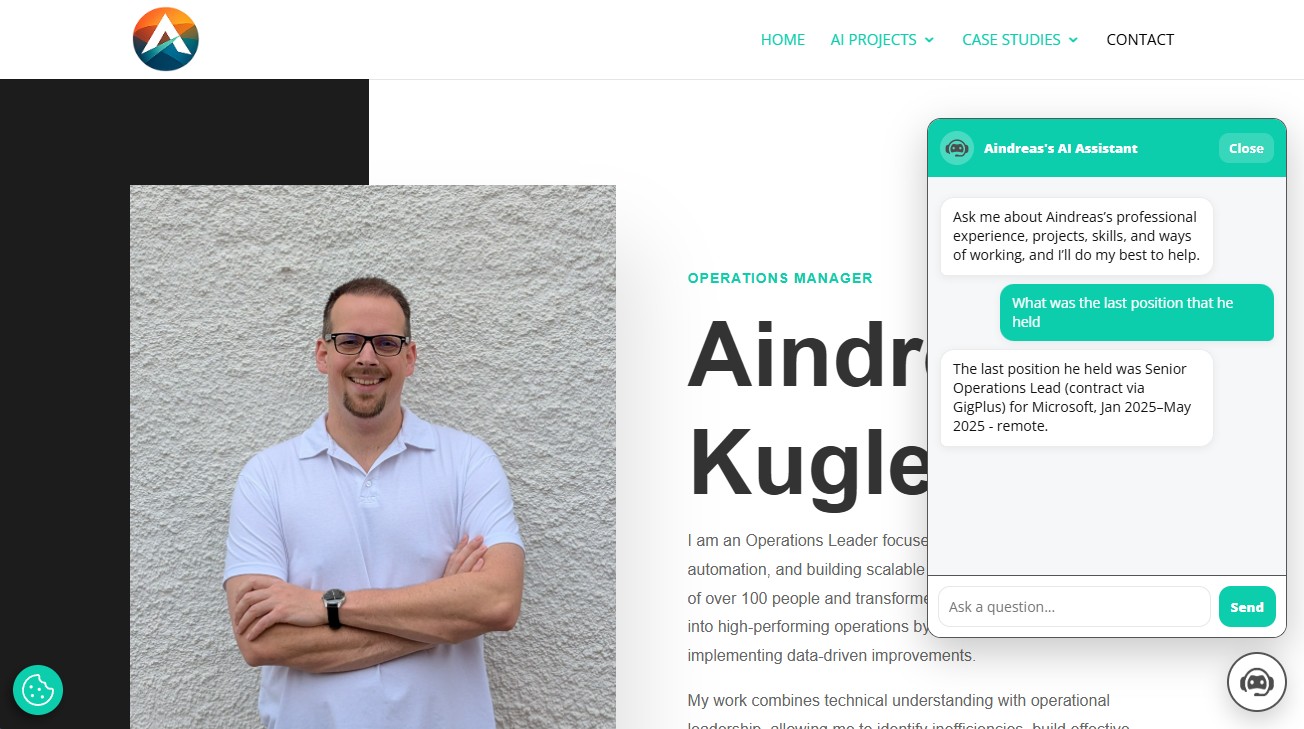
Rather than only summarising job titles or dates, the chatbot is intended to provide more context around how I work, what I have built, and how my previous experience applies to new opportunities.
Guardrails and Fallback Contact Path
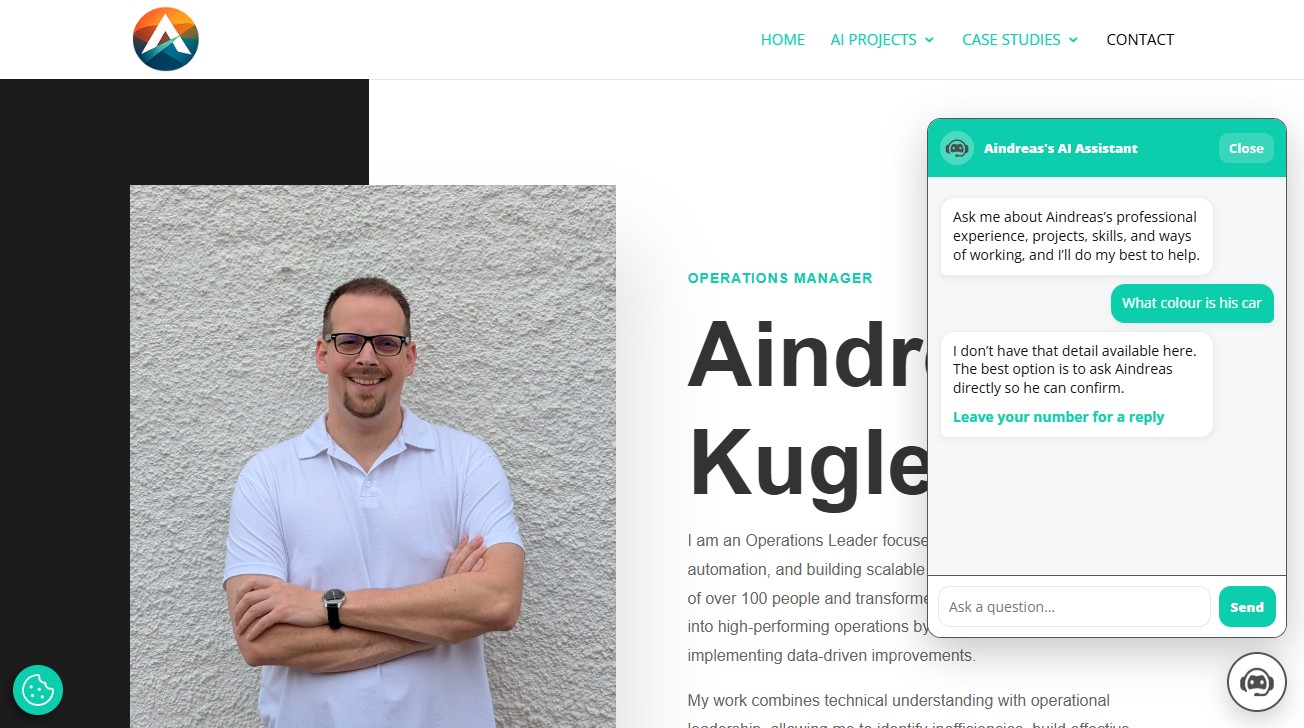
One of the most important parts of this project is how it handles uncertainty.
The chatbot is explicitly instructed not to make up information when the answer is not present in its knowledge base. In these cases, the workflow detects a specific fallback response pattern and marks the reply so that the frontend adds a contact link, allowing the recruiter to leave their details and receive a direct response from me. In the widget code, this appears as conditional logic that checks for a dedicated payload field and then appends a “Leave your number for a reply” link to the chatbot’s answer.
Workflow and Backend
Behind the chat interface, the system is powered by an n8n workflow connected to the OpenAI API. This allows the chatbot to process recruiter questions, apply response rules, detect fallback cases, and return structured output to the frontend.
Deployment and Hosting
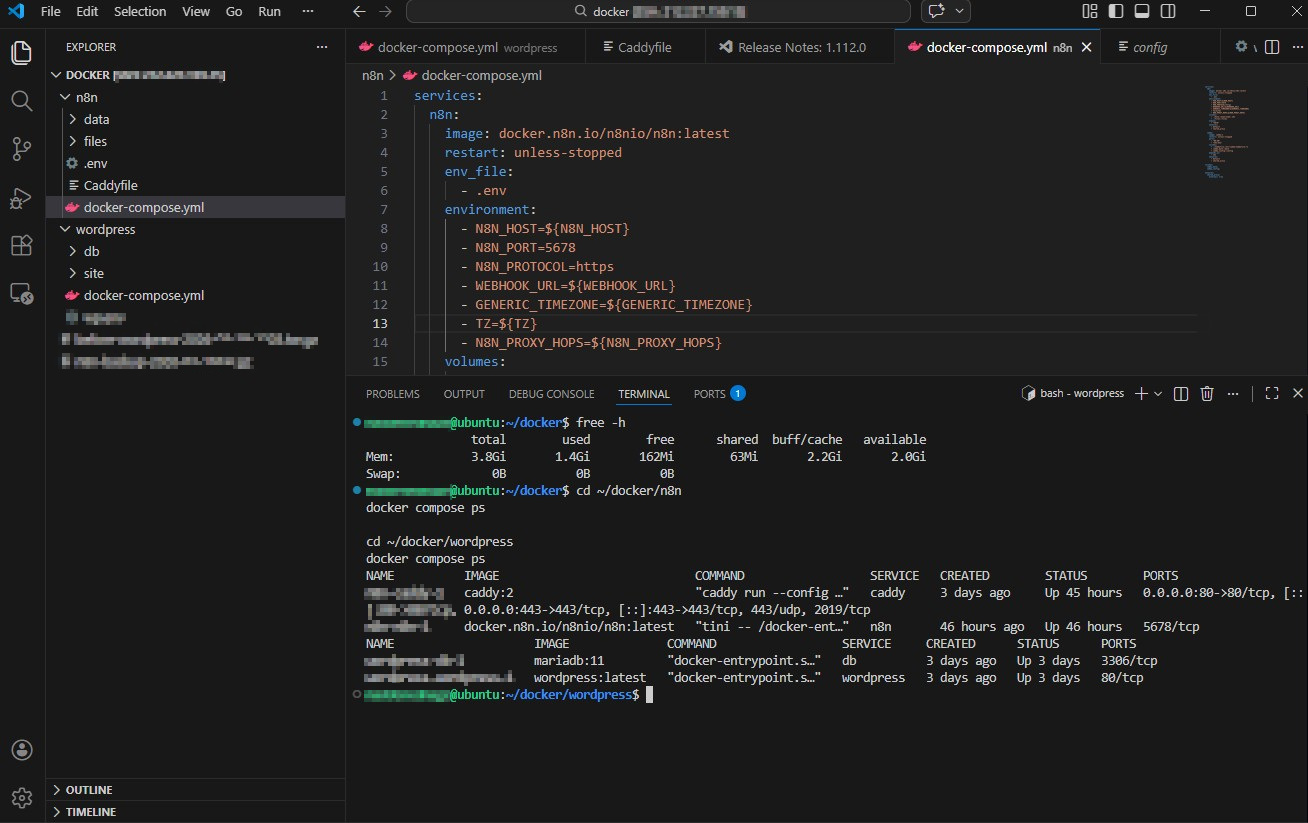
To move the project from concept to live use, I first tested it locally using Docker and n8n, then deployed it to my own VPS where n8n runs in a Docker container. This gave me hands-on experience not only with prompt-based AI workflows, but also with deployment, hosting, and maintaining the supporting infrastructure.
Key Build Decisions
A major part of this project was making the chatbot reliable and efficient enough to be practical in real use.
The supporting knowledge base originally used close to 9,000 tokens on its own, which was too costly and inefficient for a live recruiter-facing tool. I worked on restructuring and reducing that content to around 1,500 tokens while keeping the most useful information intact.
I also limited the chatbot’s short-term conversation memory to a small configurable window. This prevents long chats from increasing token usage too quickly, while still preserving enough recent context for the conversation to feel coherent and useful.
Another important design decision was to prioritise trust over coverage. I did not want the chatbot to guess when the correct information was not available. Combating hallucinations became a major part of the rule structure, and I built a fallback path so that unanswered questions could still lead to a productive next step through direct contact.
These choices helped turn the chatbot from a proof of concept into something much more practical, controlled, and recruiter-friendly.
What I Learned
Through this project, I gained practical experience building and deploying a complete AI-powered system from end to end.
This included:
- designing a recruiter-facing AI use case
- building a custom frontend chat interface in JavaScript
- integrating a live frontend with an n8n automation workflow
- working with the OpenAI API in a real application
- structuring my own experience and background into a usable knowledge base
- significantly reducing token usage without losing key context
- managing chat memory in a way that balances continuity and cost
- designing rule-based controls to reduce hallucinations
- creating a fallback user path when the assistant cannot answer reliably
- testing locally before deployment
- deploying and running n8n on my own VPS using Docker
This project reflects both my interest in generative AI and my ability to independently learn, build, optimise, and deploy practical systems around it.